
How can we help?
-
Asset
-
-
- Articles coming soon
-
- Articles coming soon
-
Facilities
-
Failures
-
- Articles coming soon
-
-
Group
-
Help
-
- Articles coming soon
-
- Articles coming soon
-
- Articles coming soon
-
- Articles coming soon
- Articles coming soon
-
-
Main Client Window
-
- Articles coming soon
-
- Articles coming soon
-
- Articles coming soon
-
- Articles coming soon
-
-
Scoreboard
-
- Articles coming soon
-
- Articles coming soon
-
- Articles coming soon
-
- Articles coming soon
-
-
Tools
-
-
- Articles coming soon
-
-
Window
-
- Articles coming soon
-
- Articles coming soon
-
- Articles coming soon
- Articles coming soon
-
SMARTEN in XSPOC
Posted
Updated
ByTheta Team
Print Objective:
To explain how to launch the SMARTEN screen in the XSPOC client.
Rights Needed:
☐Admin ☐ Admin Lite ☐Well Admin ☐Well Control
☐Well Config ☐Well Config Lite ☒Read Only
Versions:
XSPOC: 3.1, 3.2
Purpose:
Familiarize users with the SMARTEN interface in XSPOC.
Instruction:

- Open the XPOC Client
- Select a SMARTEN (POCType = 17) Asset from the Navigation panel on the left side of the XSPOC client.
- From the navigation panel locate and select the Tools Tab
- Click Tools Tab > SMARTEN Icon
- The SMARTEN Live screen opens and the user can see the SMARTEN interface displaying just as if the user was standing at the controller and looking at the screen on the controller.
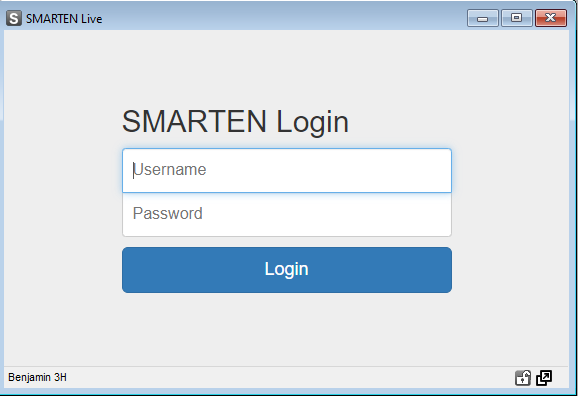
- On the bottom right there are two window control icons.
- The lock icon allows the user to lock the screen.
- The arrow icon allows the use to float the window and move it to other screens or areas of the same computer screen.

Table of Contents