
How can we help?
-
Asset
-
-
- Articles coming soon
-
- Articles coming soon
-
Facilities
-
Failures
-
- Articles coming soon
-
-
Group
-
Help
-
- Articles coming soon
-
- Articles coming soon
-
- Articles coming soon
-
- Articles coming soon
- Articles coming soon
-
-
Main Client Window
-
- Articles coming soon
-
- Articles coming soon
-
- Articles coming soon
-
- Articles coming soon
-
-
Scoreboard
-
- Articles coming soon
-
- Articles coming soon
-
- Articles coming soon
-
- Articles coming soon
-
-
Tools
-
-
- Articles coming soon
-
-
Window
-
- Articles coming soon
-
- Articles coming soon
-
- Articles coming soon
- Articles coming soon
-
Refresh External Data Screen
Posted
Updated
ByTheta Team
Print Objective:
Explain what a user is seeing on the Asset >Refresh External Data Screen.
Rights Needed:
☐Admin ☐ Admin Lite ☐Well Admin ☐Well Control
☐Well Config ☐Well Config Lite ☒Read Only
Versions:
XSPOC: 3.1, 3.2
Purpose:
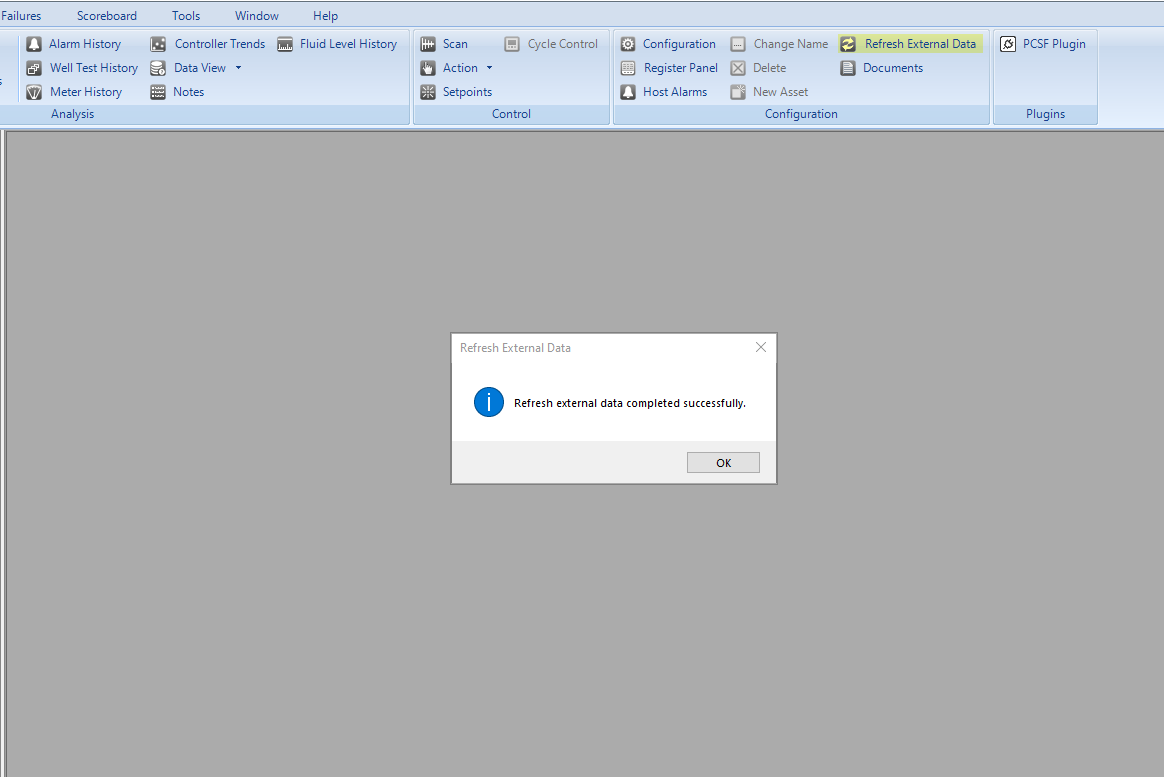
The Refresh External Data button initiates a communication event that will retrieve data for the selected well from external data sources. If no database connections are configured, this button has no effect on the well
Instruction:

- Open XPOC Client
- From the navigation panel locate and select the Asset Tab
- Click Asset Tab > Refresh External Data Icon
- Nothing will display once the button is clicked, but you will see a spinner display as the XSPOC client tries to connect to a data source.
- If no other data source is configured nothing will display.
- If a connection to another data source is configure a message will display indicating if the connection and import of data was successful or not.
- On the bottom right there are two window control icons.
- The lock icon allows the user to lock the screen,
- The arrow icon allows the use to float the window and move it to other screens or areas of the same computer screen.
Table of Contents